> ## Documentation Index
> Fetch the complete documentation index at: https://clarity.rocktangle.com/docs/llms.txt
> Use this file to discover all available pages before exploring further.
# Commands
> All five Clarity slash commands and how to use them
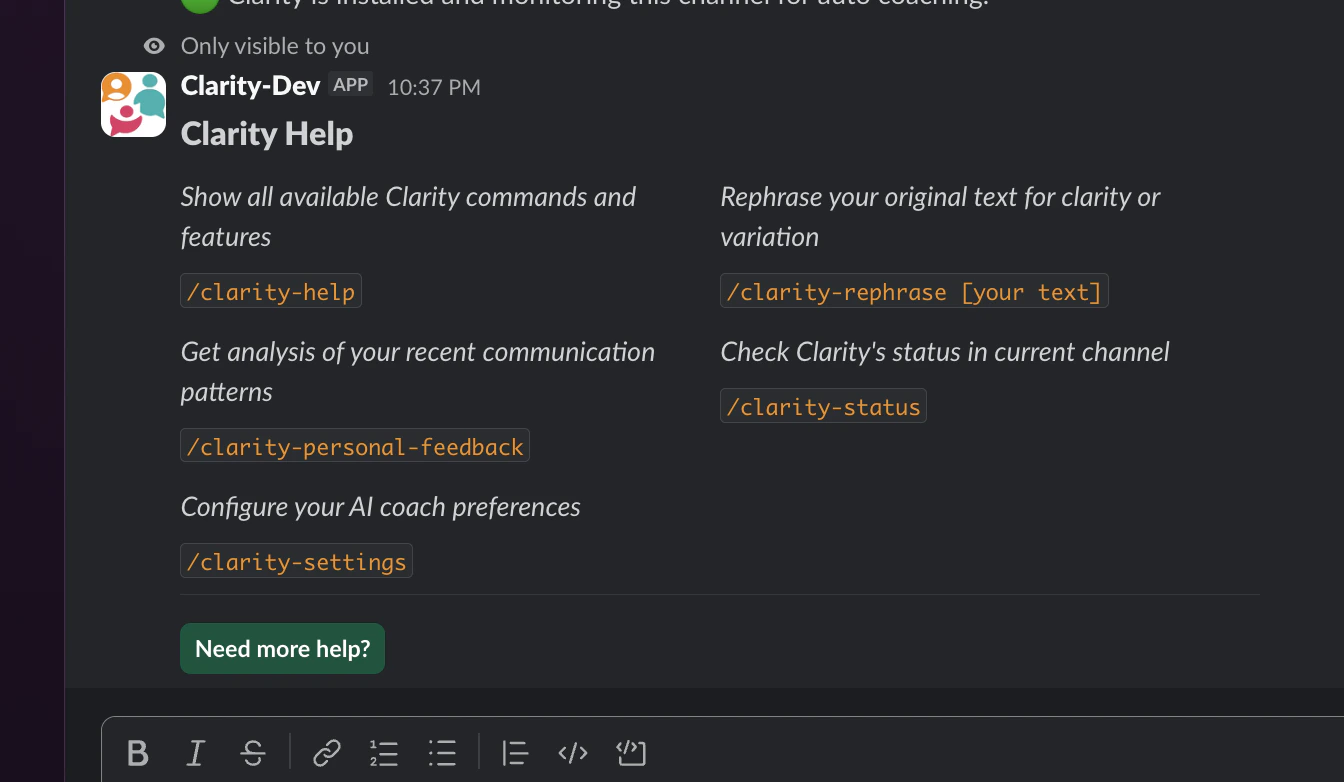
Clarity provides five slash commands. All responses are ephemeral, meaning only you can see them.
 ## /clarity-rephrase
Rephrase a message before sending it. Clarity analyzes your text against your active coaching flags and suggests an improved version.
```
/clarity-rephrase [your message]
```
**Example:**
```
/clarity-rephrase hey can u fix this bug its blocking me and I already told you about it
```
Clarity suggests:
> Hi, could you help look into this bug? It's currently blocking my work. I mentioned it earlier but wanted to follow up.
You get two buttons:
* **Send** — posts the improved message in the channel
* **Didn't like it** — dismisses the suggestion
Each use counts toward your monthly rephrase limit. Free: 50/month. Pro: 200/month.
***
## /clarity-settings
Open the settings modal to manage your coaching preferences.
```
/clarity-settings
```
## /clarity-rephrase
Rephrase a message before sending it. Clarity analyzes your text against your active coaching flags and suggests an improved version.
```
/clarity-rephrase [your message]
```
**Example:**
```
/clarity-rephrase hey can u fix this bug its blocking me and I already told you about it
```
Clarity suggests:
> Hi, could you help look into this bug? It's currently blocking my work. I mentioned it earlier but wanted to follow up.
You get two buttons:
* **Send** — posts the improved message in the channel
* **Didn't like it** — dismisses the suggestion
Each use counts toward your monthly rephrase limit. Free: 50/month. Pro: 200/month.
***
## /clarity-settings
Open the settings modal to manage your coaching preferences.
```
/clarity-settings
```
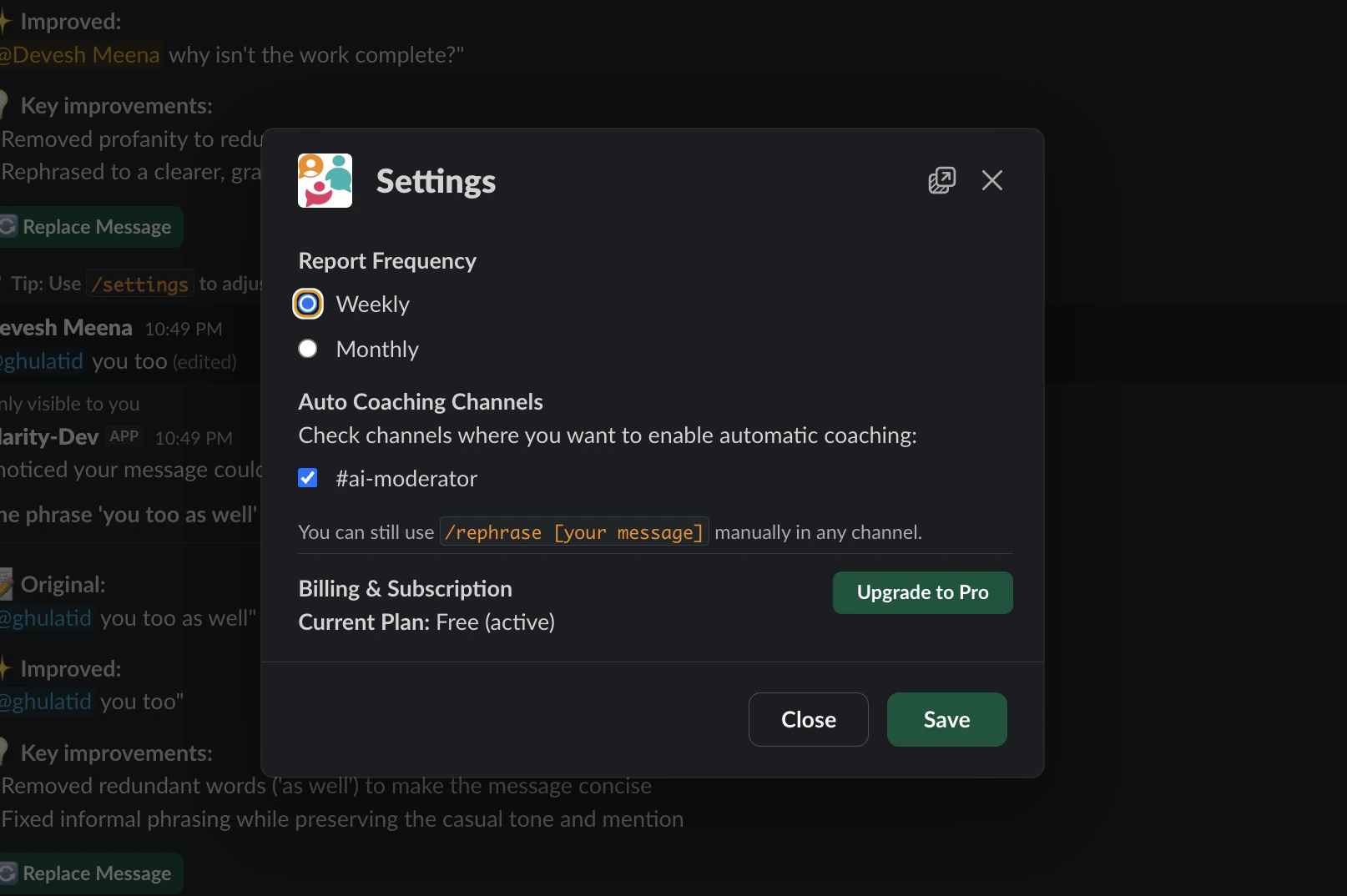 In the settings modal you can:
* Enable or disable individual coaching flags
* Select which channels have auto coaching enabled
* Set your target communication style
* Turn daily or weekly private digests on or off
* Create, edit, or delete custom flags (Pro)
* Access billing settings (admin only)
* Transfer admin rights (admin only)
See [Settings](/settings) for full details.
***
## /clarity-status
Check whether Clarity is active in the current channel and view your usage.
```
/clarity-status
```
Shows:
* Whether auto coaching is enabled in the current channel
* Which coaching flags are active
* Your workspace usage for the current month
***
## /clarity-help
Display a quick reference of all available commands.
```
/clarity-help
```
***
## /clarity-feedback
Send feedback directly to the Clarity team.
```
/clarity-feedback [your feedback]
```
**Example:**
```
/clarity-feedback The suggestions are really helpful in our engineering channel!
```
All commands work in any channel or direct message. Responses are always private to you.
In the settings modal you can:
* Enable or disable individual coaching flags
* Select which channels have auto coaching enabled
* Set your target communication style
* Turn daily or weekly private digests on or off
* Create, edit, or delete custom flags (Pro)
* Access billing settings (admin only)
* Transfer admin rights (admin only)
See [Settings](/settings) for full details.
***
## /clarity-status
Check whether Clarity is active in the current channel and view your usage.
```
/clarity-status
```
Shows:
* Whether auto coaching is enabled in the current channel
* Which coaching flags are active
* Your workspace usage for the current month
***
## /clarity-help
Display a quick reference of all available commands.
```
/clarity-help
```
***
## /clarity-feedback
Send feedback directly to the Clarity team.
```
/clarity-feedback [your feedback]
```
**Example:**
```
/clarity-feedback The suggestions are really helpful in our engineering channel!
```
All commands work in any channel or direct message. Responses are always private to you.