

How it works
- You send a message in a channel where auto coaching is enabled.
- Clarity analyzes it against your active coaching flags.
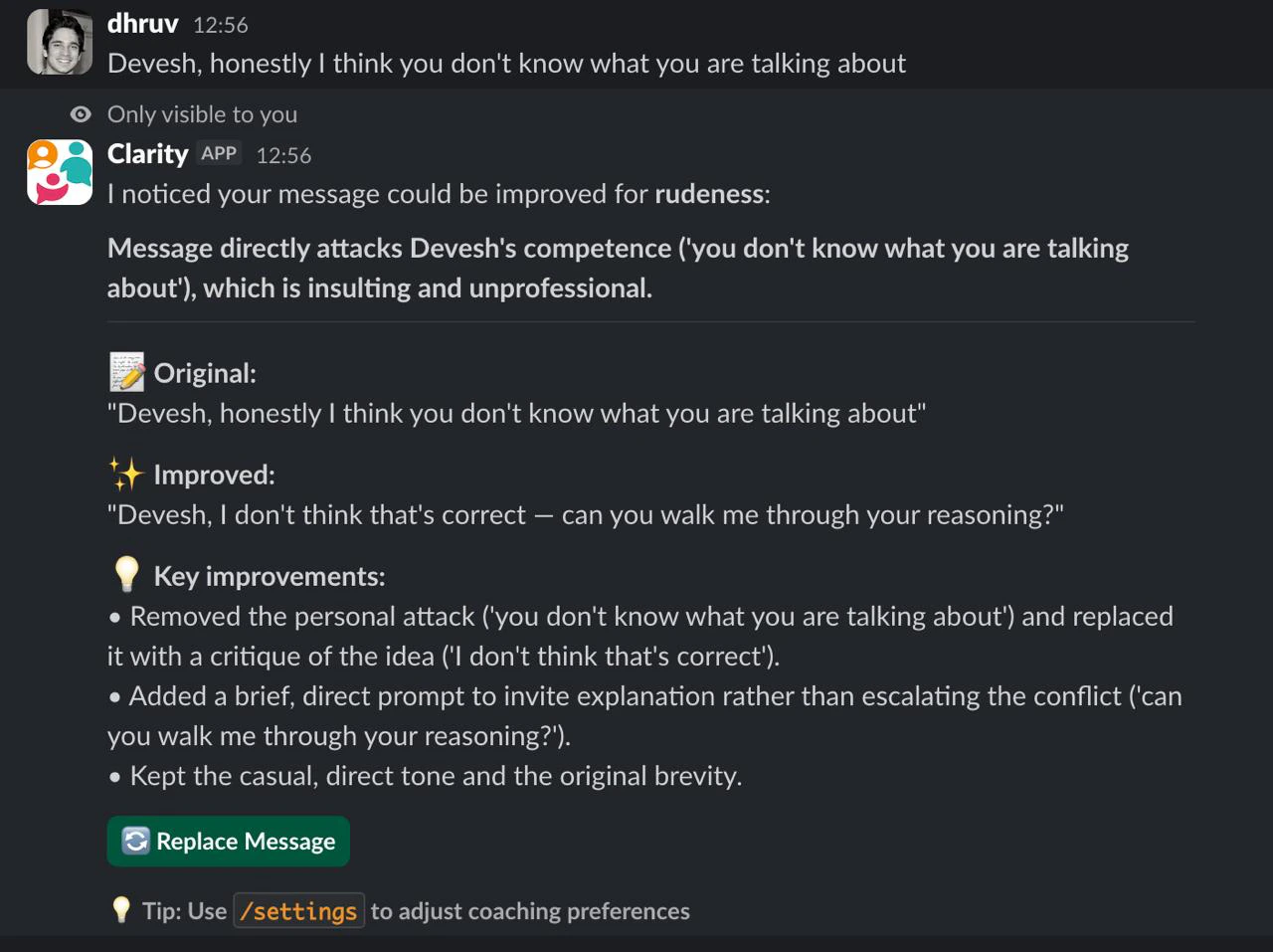
- If a flag is triggered, you receive a private suggestion that only you can see.
- You decide: click Replace to update your original message, or Didn’t like it to dismiss.
Only you can see the coaching suggestion. Your teammates see your original message until you choose to replace it.
Where coaching runs
Clarity coaches you in public channels, in private channels it has been invited to, and in threads in either — the suggestion appears inside the thread you’re replying in. It does not read your direct messages. Slack gives an app no access to conversations it isn’t a member of, so 1:1 DMs are outside what any Slack app can see.Enabling auto coaching
Run/clarity-settings to open the settings modal. In the Auto coaching channels section, check the channels where you want coaching enabled, then click Save.
What the suggestion looks like
When Clarity finds something to improve, you see a private message like this:- Replace — updates your original message in the channel with the improved version
- Didn’t like it — dismisses the suggestion
Connecting your account
Slack only lets an app edit your messages with your permission, which is separate from the workspace install. The teammate who installed Clarity has already granted it; everyone else has not. The first time you click Replace before connecting, Clarity shows you the rephrased text to copy, plus a Connect Clarity button. One click, and Replace edits your messages directly from then on. Nothing else about coaching changes — you still get suggestions either way.Coaching flags
Auto coaching uses your active flags to decide what to look for. The five default flags are:
All five are enabled by default. You can toggle them in Settings.
Some messages can’t be improved by rewording — hate, harassment, threats, or a personal attack on someone. For these, Clarity shows a private warning and a de-escalation tip instead of a rewrite. It never helps you send harmful content.
Usage limits
Auto coaching suggestions count toward your monthly limit:
Check your current usage with
/clarity-status.